Looking for a professional Patch List Template in Excel for your live events?
This free Patch List Spreadsheet (.xlsx) is the most downloaded resource on my website — and I’m grateful to see so many audio professionals using it daily to improve workflow and organisation.
If you’re a live sound engineer, event engineer, stage tech, or production manager, this template helps you document inputs and outputs clearly, accurately, and consistently.
What is a patchlist
A patch list — sometimes called a patch sheet or input/output list — is a document that maps every audio signal in a live event. It records where each input comes from (a microphone, a DI box, a playback source) and where each output goes (a PA speaker, a monitor mix, a recording feed).
Why use a patchlist?
Think of it as the audio blueprint of your show. Before a single cable is run, the patch list tells everyone on the production team — the FOH engineer, the monitor engineer, the stage tech, and the system engineer — exactly what connects to what.
Key features of this patchlist
- Structured Input & Output listing format
- Clean, professional layout for live productions
- Fully editable in Microsoft Excel
- Compatible with Google Sheets and all .xlsx-supported software
- Easy to share with your team for collaboration
- Ensures consistency across multiple events
This Excel patch sheet template allows you to focus on engineering and production rather than formatting spreadsheets.
Who Is This For?
- Live Sound Engineers
- Event Engineers
- FOH / Monitor Engineers
- Stage Managers
- Production Coordinators
If you work in live events, this template improves the accuracy of documentation, efficiency, and communication between teams.
Fully Compatible Across Platforms
The spreadsheet is provided in .xlsx format, meaning it works seamlessly with:
- Microsoft Excel (Windows and Mac)
- Google Sheets (open directly from Google Drive)
- Apple Numbers
- Any spreadsheet application that supports .xlsx files
No compatibility issues. No formatting breaks. Just download and start using it immediately.
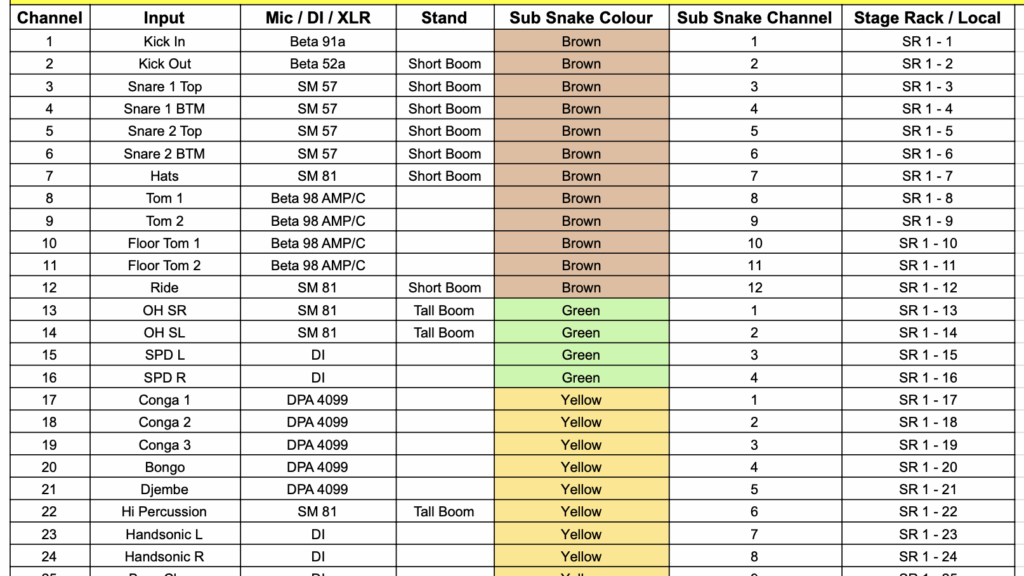
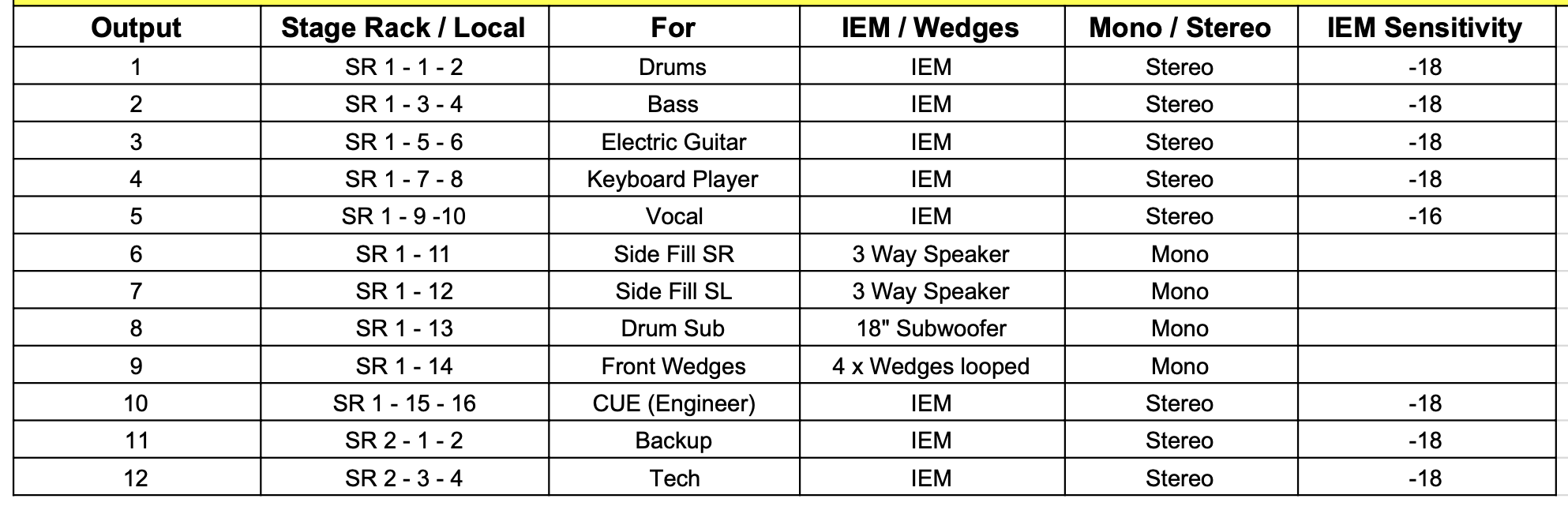
Here is an example of the spreadsheet
Input patch list sample
Output patch list sample
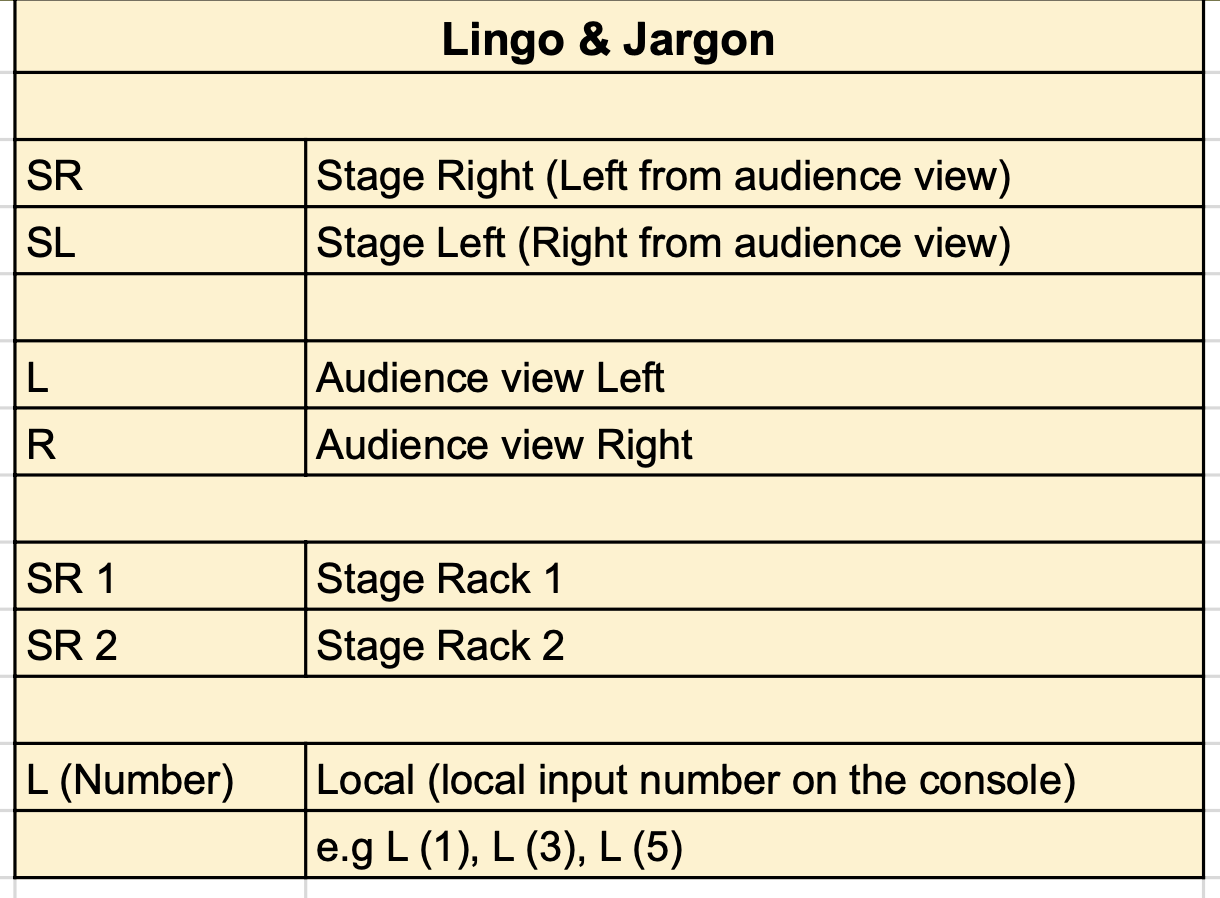
Lingo & Jargon
FAQ
Yes — completely free. Enter your email address, and the download link will be sent to you immediately. No payment, no subscription.
It is an Excel spreadsheet in .xlsx format. It is fully compatible with Microsoft Excel, Google Sheets, and Apple Numbers.
Yes. Every field is editable. You can add or remove columns, rename headers, adjust the number of channels, and change the formatting to suit your production.
The template can be extended by simply adding rows. It works for small club gigs and large festival stages alike.
A stage plot shows the physical layout of instruments and performers on stage. A patch list documents the audio signal flow — which microphone connects to which channel, and where each output goes. Both documents are essential for a professional show.
Yes. Once downloaded, you can share the file freely with your production team, rental vendor, or artist management.
Download the Free Patch List Template
To download the Patch List Excel Template, simply enter your email address and click the download button below.
If this template saves you time on your next show, consider sharing it with a colleague or linking to this page from your own social media. Every download helps more engineers find it.
If you’re preparing for a tour, my guide on 11 things every touring live sound engineer in India must do covers everything from rider prep to show-day workflow.
